Posts

ReactJs - Installation

Image
React Js ReactJs is a javascript library used for building UI components. React Advantages: 1)Uses virtual DOM which is a JavaScript object. This will improve apps performance since JavaScript virtual DOM is faster than the regular DOM. 2)Can be used on client and server side as well as with other frameworks. 3)Component and data patterns improve readability, which helps to maintain larger apps. React Limitations: 1)Covers only the view layer of the app, hence you still need to choose other technologies to get a complete tooling set for development. 2) Uses inline templating and JSX, which might seem awkward to some developers. Installation Of Rect Js : Step 1: Install NodeJs. Here is the link to install NodeJs  node-v6.3.1-x64.msi             after installation to test whether NodeJs is installed or not using "npm" command like below. Step 2 : Installing reactJs using webpack and babel. ...

SLDS Table--Insert And Delete Rows Dynamically

Image
In this post, we are going to create a lightning component to insert and delete rows dynamically on slds   datatable . If we hit an INSERT button a new row will be added at the end of the slds table. If we hit a DELETE button the last row will be deleted from the slds datatable automatically. Child Lightning Component1 Component:- <aura:component > <aura:attribute name=”rowIndex” type=”String” default=”1″/> <!– Register 2 Lightning Event for handle add or Delete rows on Parent Component –> <aura:registerEvent name=”DeleteRowEvt” type=”c:DeleteRowEvt”/> <aura:registerEvent name=”AddRowEvt” type=”c:AddNewRowEvt”/> <lightning:button name=”details” label=”ADD” onclick=”{!c.AddNewRow}” /> <lightning:button name=”details” label=”DELETE” onclick=”{!c.removeRow}” /> <table class=”slds-table slds-table_bordered slds-table_cell-buffer”> <thead> <tr class=”slds-text-title_caps”> <th scope=”col”> ...

Lightning:recordForm - Lightning Data Service

Image
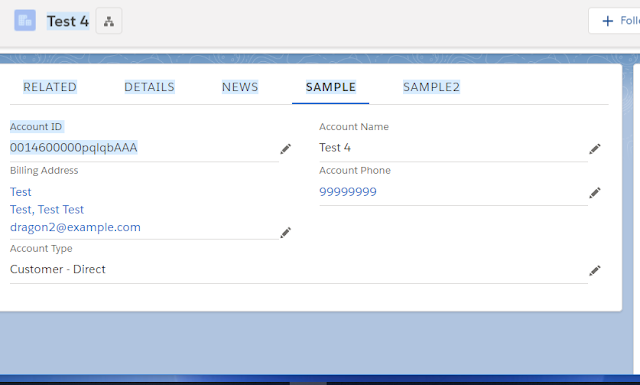
Lightning:recordForm is a very powerful component for editing, viewing and adding a record in lightning and combines both lightning:recordEditForm and lightning:recordViewForm. Here is an example lightning component for lightning:recordForm. Lightning Component:- <aura:component implements="flexipage:availableForRecordHome,force:hasSObjectName,force:hasRecordId" access="global" >     <aura:attribute name="fieldsList" type="String[]" default="['Id', 'Name', 'BillingAddress', 'Phone' , 'Type']"/>     <div class="THIS">                <lightning:recordForm                               recordId="{!v.recordId}"                               objectApiName="{!v.sObjectName}"                     ...

Custom Lookup Lightning Component

Image
Lookup Relationship: A Lookup Relationship creates a field that allows users to click a Lookup Icon and select another record from a popup window. In visual force pages, we create a lookup field simple using  " apex:inputField" component. But, in lightning components, we can not create a lookup field simply using any component like above. So, here we can find the solution for this please find the Lightning components below to create a lookup field. Apex Controller: public class InputLookup {     @AuraEnabled     public static SObject loadDefault(String s, String sObjectType) {         try {             String query = 'SELECT Id, Name FROM {1} WHERE Id={0}';             return Database.query(String.format(query, new List<String> { '\''+s+'\'', sObjectType }));         } catch (Exception e) {              ...

Fixed Header For DataTable

Lightning Component: <aura:component implements="force:appHostable" >     <div class="slds-table--header-fixed_container" style="height:450px;">         <div class="slds-scrollable_y" style="height:100%;">             <table class="slds-table slds-table_bordered slds-table--header-fixed">                 <thead>                     <tr class="slds-text-title_caps">                         <th scope="col">                             <div class="slds-truncate slds-cell-fixed" title="Opportunity Name">Opportunity Name</div>                         </th>         ...

Lightning Component Using RecordEdit and RecordView

Lightning componet: <aura:component implements="force:appHostable,force:lightningQuickAction,force:hasRecordId,flexipage:availableForRecordHome">     <aura:attribute name="flag" type="boolean" default="true" />     <aura:attribute name="recordId" type="Id"/>     <article class="slds-card">         <aura:if isTrue="{!v.flag}">             <force:recordView recordId="{!v.recordId}" type="FULL"/>             <aura:set attribute="else">                 <force:recordEdit aura:id="edit" recordId="{!v.recordId}"/>             </aura:set>         </aura:if>         <button class="slds-button slds-button_neutral">Cancel</button>         <aura:if isTrue="{!!v.flag}"> ...

Lightning Component For Custom RecordType Selection

Image
In this post, I am going to create a Lightning Component which is a replica of RecordType selector in Lightning. Apex Controller: Here, we are getting List of RecordTpes from Account Object. public class RecordTypeSelectorController {       @AuraEnabled     public static List<RecordType> getListOfRecordType(){         String query = 'SELECT Id,Name FROM RecordType WHERE SobjectType =\''+'Account'+'\' ';         List<RecordType> rtNames = new List<RecordType>();         Schema.SObjectType  objType = Account.SObjectType;              for(RecordTypeInfo rt : objType.getDescribe().getRecordTypeInfos()){             System.debug('rt.getName()'+rt.getName());             rtNames.add(new RecordType(Id = rt.getRecordTypeId(),Name = rt.getName()));         ...